Website Design
What to Remove From Your Business Website Before Adding More Features | arunnn

Sep
Adding more pages, plugins, animations and features can make a business website feel more complete. But sometimes the better improvement is to remove things that are no longer helping customers. An older website can become harder to use when every redesign adds another section without removing outdated content.
Before paying for another feature, take a short cleanup pass. Remove information that is wrong, repeated, confusing or no longer connected to the way your business operates. This can make the existing website easier to understand without requiring a complete rebuild.
1. Remove outdated services
Businesses change. A service that was important two years ago may no longer be offered, while a newer service may deserve its own page. Leaving discontinued services online can create the wrong expectation for visitors.
Review your main navigation, service pages and homepage sections. If a service is no longer available, either remove it or clearly explain its current status. Do not keep an old page simply because it already exists.
2. Remove duplicate explanations
Many business websites explain the same service several times using slightly different wording. A homepage may describe website design, the services page may repeat the same paragraph, and another landing page may repeat it again.
Keep the short version where customers need a quick overview and use a dedicated service page for the detailed explanation. This creates a cleaner path for both visitors and search engines.

A simpler navigation structure can make important information easier to find.
3. Remove weak navigation items
Your menu does not need to contain every page on the website. If visitors rarely need a page before contacting you, it may not belong in the primary navigation.
Keep the main menu focused on the pages that help customers understand the business and take action. Secondary information can remain accessible through the footer or relevant page sections.
4. Remove old promotions and temporary messages
Old discounts, expired offers, outdated event announcements and temporary notices can quietly reduce trust. A visitor may not know that a promotion ended months ago.
Set a simple review habit for promotional content. When an offer ends, remove it from the homepage, banners, popups and landing pages instead of allowing old messages to remain visible.
5. Remove unnecessary design effects
Animations, sliders, autoplay elements and decorative effects can look impressive during a redesign, but they should have a purpose. If an effect delays the important information or makes the page harder to use on a phone, it deserves another look.
A professional website does not need to move constantly. Clear headings, readable text, useful images and obvious actions often do more for the visitor than additional visual effects.
6. Remove plugins that solve problems you no longer have
WordPress websites often collect plugins over time. A plugin may have been installed for a campaign, a temporary feature or an experiment and then forgotten.
Review plugins with your developer before removing anything. The goal is not to delete plugins simply to reduce the number. The goal is to understand what each plugin does, whether it is still required and whether another plugin already provides the same function.
7. Remove pages with no clear purpose
Before keeping a page, ask one simple question: what should a visitor do or understand after reading it?
If the answer is unclear, the page may need to be rewritten, combined with another page or removed. This is particularly useful when an older website has accumulated thin pages created only because someone believed every keyword needed its own URL.
8. Remove unclear calls to action
A website can have too many buttons. “Learn More”, “Get Started”, “Click Here”, “Contact Us”, “Buy Now” and several other actions can compete for attention when they are all presented at once.
Use the action that matches the page. A service page may need an enquiry action. A product page may need an add-to-cart action. An informational article may simply need a relevant next article or service page.
9. Remove oversized or irrelevant images
Images should support the information around them. A large decorative image that does not explain the product, service or customer problem may not deserve its space.
Check older uploads for oversized files, duplicate images and visuals that no longer represent the business. Use relevant, compressed images with descriptive alternative text.
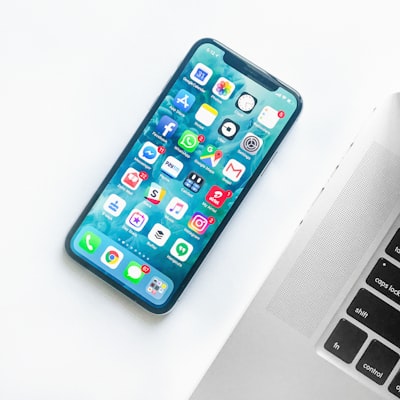
Every important page should be checked on a real mobile screen, not only on a desktop.
10. Remove content that no longer matches your business
Check your company description, locations served, contact details, pricing references, team information and frequently asked questions. Small changes in a business can leave old statements scattered across the website.
When important information conflicts between pages, customers may hesitate to contact you. A short content audit can reveal these inconsistencies before you add new material.
When Should You Redesign Instead of Just Cleaning Up?
Cleanup is useful when the underlying website still works and the main problems are outdated content, clutter or confusing structure. If the platform is difficult to maintain, the mobile experience is poor, the page structure cannot support new services, or the visual design no longer represents the business, a broader website redesign service may be worth considering.
A Simple Website Cleanup Checklist
- Remove discontinued services.
- Combine repeated explanations.
- Reduce unnecessary navigation items.
- Delete expired promotions.
- Review animations and decorative elements.
- Check whether every plugin is still required.
- Remove pages without a clear purpose.
- Make calls to action specific to each page.
- Compress or replace irrelevant images.
- Update business information across the site.
What to Add After the Cleanup
Once the unnecessary material is gone, you can see the genuine gaps more clearly. You may discover that the website needs a dedicated service page, a clearer contact path, better ecommerce information or stronger SEO foundations.
If the next step is a new business website rather than a redesign, you can also review arunnn’s website design services and compare the scope with what your business actually needs.
Final Thought
A website does not become better simply because more content and features are added. In many cases, removing outdated information is what makes the useful information stand out.
Before your next website upgrade, spend an hour looking for things that no longer deserve space. A cleaner website can give customers a clearer path to the information and action that matter.
