
Website Design
WhatsApp vs an Ecommerce Website: When Is It Time to Add Checkout?

Nov
Choosing between WhatsApp and an ecommerce website comes down to how much help customers need before they order. WhatsApp is a good place to start when people need advice before buying and you can manage the orders yourself. An ecommerce website becomes worth considering when customers mostly know what they want and your team spends its time answering the same questions about stock, delivery and payment. Many small businesses do best with both. Use the website for standard orders and keep WhatsApp available for questions and custom requests.
The decision starts with the last 20 enquiries. If most conversations were about choosing a product or requesting a custom quote, chat is part of the sale. If most were about whether an item was in stock or how to pay, those steps are good candidates for checkout. If you are still planning your first site, compare the website design packages for small businesses with a full store before paying for features you may rarely use.
WhatsApp vs an ecommerce website at a glance
| Customer need | WhatsApp works when | An online store helps when |
|---|---|---|
| Browse and compare | The range is small or changes often. | Customers need filters, categories or clear variant choices. |
| Confirm the price | Prices depend on a brief, quantity or custom finish. | Prices and delivery charges can be shown before payment. |
| Place an order | A person needs to confirm availability or delivery first. | Customers can choose, pay and receive confirmation on their own. |
| Track orders | One person can maintain a shared order log. | Multiple people need a common record of payment, fulfilment and refunds. |
Audit 20 enquiries before choosing a checkout
Take 20 recent enquiries from the same product range. In a spreadsheet, record the item requested, the main question, the number of messages needed to reach a decision and whether the enquiry became an order. Mark cases where a late response, missing delivery quote or uncertain stock delayed the sale. Keep customer names and phone numbers out of the worksheet if you only need to count patterns.
Imagine a Hyderabad gift seller logs 20 chats. Eight people ask about stock and standard delivery, six request corporate branding or a bulk quantity, and six want general advice. A sensible first step is to list standard gift boxes online with prices and delivery information, while sending branded and bulk orders to a quote form. If the same seller ships only after confirming the order by phone, a catalogue can launch first. See the guide to turning a product catalogue into quote enquiries for a useful model when orders need individual pricing.
Compare the cost of handling orders by hand
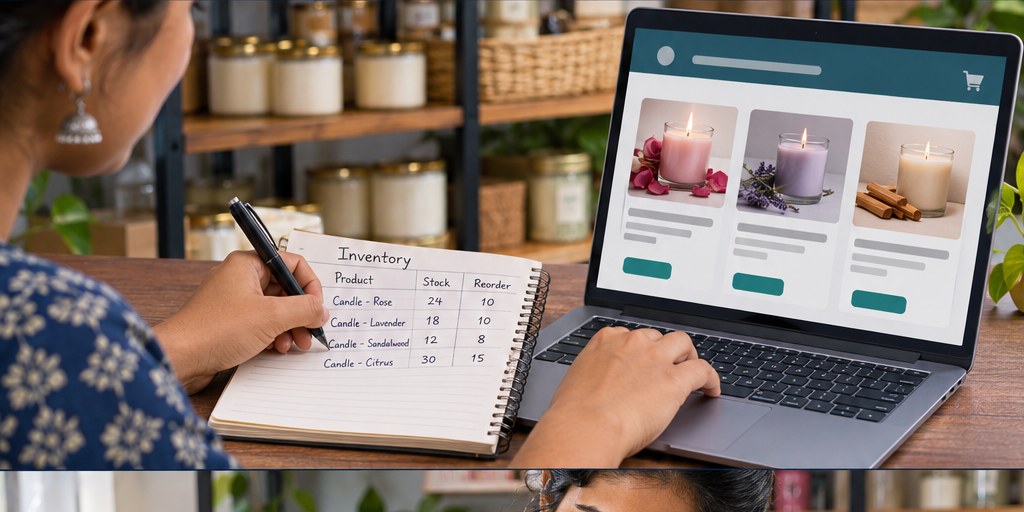
Time five to ten typical orders from first reply to confirmation, including stock checks, payment follow-up and entry into the delivery sheet. If 40 standard orders a month each take eight minutes of admin, that is about five hours and 20 minutes. If checkout saves five minutes on each order, the maximum saving in this example is about three hours and 20 minutes a month. Multiply that by your own hourly cost, then compare it with hosting, payment fees, maintenance and the time needed to keep stock accurate. Use the result as a starting point for a decision and revisit it when your volume changes.
Also count errors and delays. Two people selling the same last item, an unclear refund request or a missed courier pickup can matter more than the time saved replying to messages. When comparing ecommerce website design services, ask who configures shipping, what happens after a failed payment and whether you can update inventory independently.
Start with the products you can fulfil reliably
Choose a small set of products with stable prices, clear photos and predictable dispatch. For each item, write down the variants, what is included, the delivery rule and the returns or cancellation terms. Decide where stock is recorded when the same items are sold through chat, in person and online. Assign one person to reconcile orders at the end of the day if those channels do not share live inventory.
Before sending customers to checkout, place test orders on a phone. Try a successful payment, a cancelled payment, an out-of-stock variant and an address you cannot serve. Confirm the customer receives the right message and that the person packing the order sees the correct item and quantity. Use the ecommerce features checklist for small businesses to review the store before launch.

Use WhatsApp for the conversations that help customers buy
Keep a WhatsApp option on product pages for questions about sizing, compatibility, gift notes or volume pricing. A prefilled message can include the product name or SKU so the customer and your team start with the same information. Publish realistic reply hours and give buyers a way to place standard orders if they browse outside those hours.
For the first month, track standard online orders, chat-assisted orders, custom quotes and cases you could not fulfil. Review what customers still ask before buying. If they keep asking whether a gift box will arrive by Friday, add a clear dispatch cut-off or a way to check delivery before checkout. After updating the page, use the 60-second mobile website enquiry test to confirm that someone new can find the right contact option quickly.
Frequently asked questions
Can I start with WhatsApp and add ecommerce later?
Yes. Keep product names, photos, prices and stock records organised from the start. Those records become the basis of your online catalogue when you add checkout.
Do custom or bulk orders need online payment?
You can use a quote form or WhatsApp for custom orders, confirm the scope and delivery date, and arrange payment after the buyer accepts the quote. Standard items can use checkout on the same site.
How many products do I need before launching an online store?
There is no minimum that works for every business. A small catalogue can justify checkout when the items sell regularly, have fixed prices and can be delivered reliably.
Can customers still order through WhatsApp after the store launches?
Yes. Keep WhatsApp for customers who need help and record confirmed chat orders in the same inventory workflow as online purchases. This reduces the risk of selling the same stock twice.
What should I test first on a new store?
Test one product purchase from a phone, including shipping, payment and order confirmation. Then repeat with a failed payment and an out-of-stock item to check the messages customers receive.
